Bridge Manager
One card for every bridge you own.
Every Universal Bridge add-on you own on one card in the 3D View, and a preferences page that finds your apps, checks your setup and keeps your keys, looks and profiles in one place.
Requires two or more bridge add-ons
Bridge Manager contains no bridge of its own: it brings together the Universal Bridge add-ons you own. Each bridge also works on its own without it.
- One card, every bridge
- Check Everything, with fixes
- Keys, pies and looks
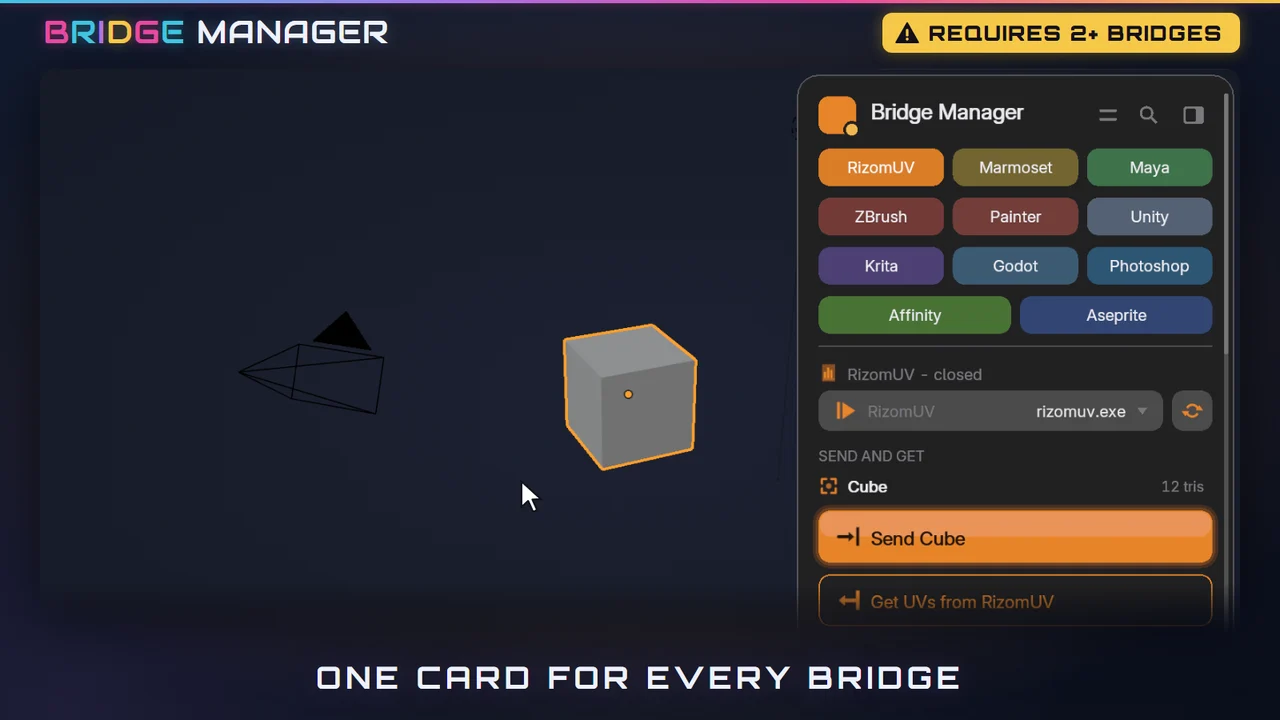
In Blender
Set it up once, then send.
Every bridge you own sits on one Bridge Manager card in the 3D View. Pick a bridge from the tabs at the top and its own Send, Get, folders and explanations appear inside the card, in that bridge's colour. Behind the card sits a preferences page that does the looking-after for you.
Check
Open on Home, see which apps were found, and fix what needs you.
Move across to scrubThe preferences open on Home: how many bridges you have and which apps were found, your shortcuts and whether any clash, and your version. Check Everything looks for every app, checks every companion script, tests the exchange folder and your keys, and lists what needs you worst first, each with the button that fixes it.
Keys
Set every shortcut as a key-cap, and give each bridge a pie.
Move across to scrubEvery shortcut is a key-cap you press to set, and a keyboard map shows each of your keys in its bridge's colour.
Look
Style every card, and keep your setups under a name.
Move across to scrubFive looks, Default, Compact, Large, High Contrast and Minimal, shown as pictures of a card, with colour swatches for the Manager's own card and each bridge's card styled on its own.
Help
A guide for every bridge you own, and a fix beside every problem.
Move across to scrubHelp starts with the round trip in four steps, then a guide for each bridge you own: step by step, with its tips and what to do when it doesn't work.
Also in the Manager
A report that says what went wrong
Help ▸ Report copies, or saves as a file, everything support needs in one go: each bridge and its version, the apps found, a health check, every Python error since Blender started and Blender's own crash logs. Choose what goes in; your user name is hidden from paths.
Shared tools, once
History, Preflight, Selection Sets and Versioned Files are shared across every bridge and registered a single time: no duplicate panels, however many bridges you own.
Icons you can recolour
The panel buttons use a drawn icon set. Choose brand colours, mono or Blender's built-ins; link and modifier icons stay green, amber or red, because there the colour is the message.
Requirements
- Two or more bridge add-ons. Bridge Manager is a hub and contains no bridge of its own; each bridge also works on its own without it.
- Windows only · Blender 3.3–5.2: an extension on 4.2 and later, a classic add-on on 3.3–4.1.
- The applications your bridges talk to are sold or licensed separately by their own vendors; none are included.
- No network for the file-based bridges. Fusion can optionally be driven over your own machine's loopback address.
Build out your workflow.
More by Tachyon Studio



Optional products, sold separately.
See all on Superhive