Blender add-on · Unreal pipeline
Unreal LOD Maker
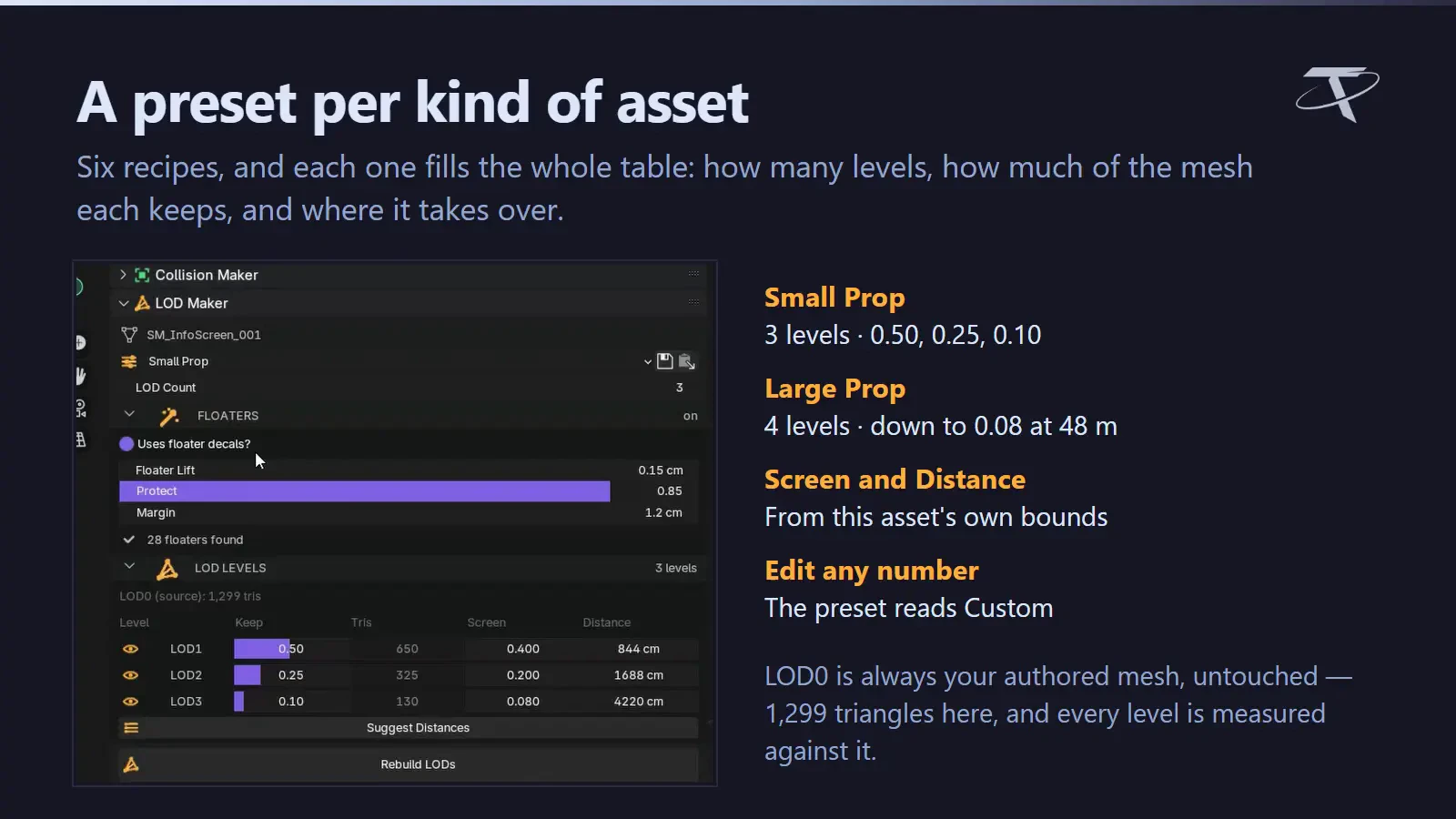
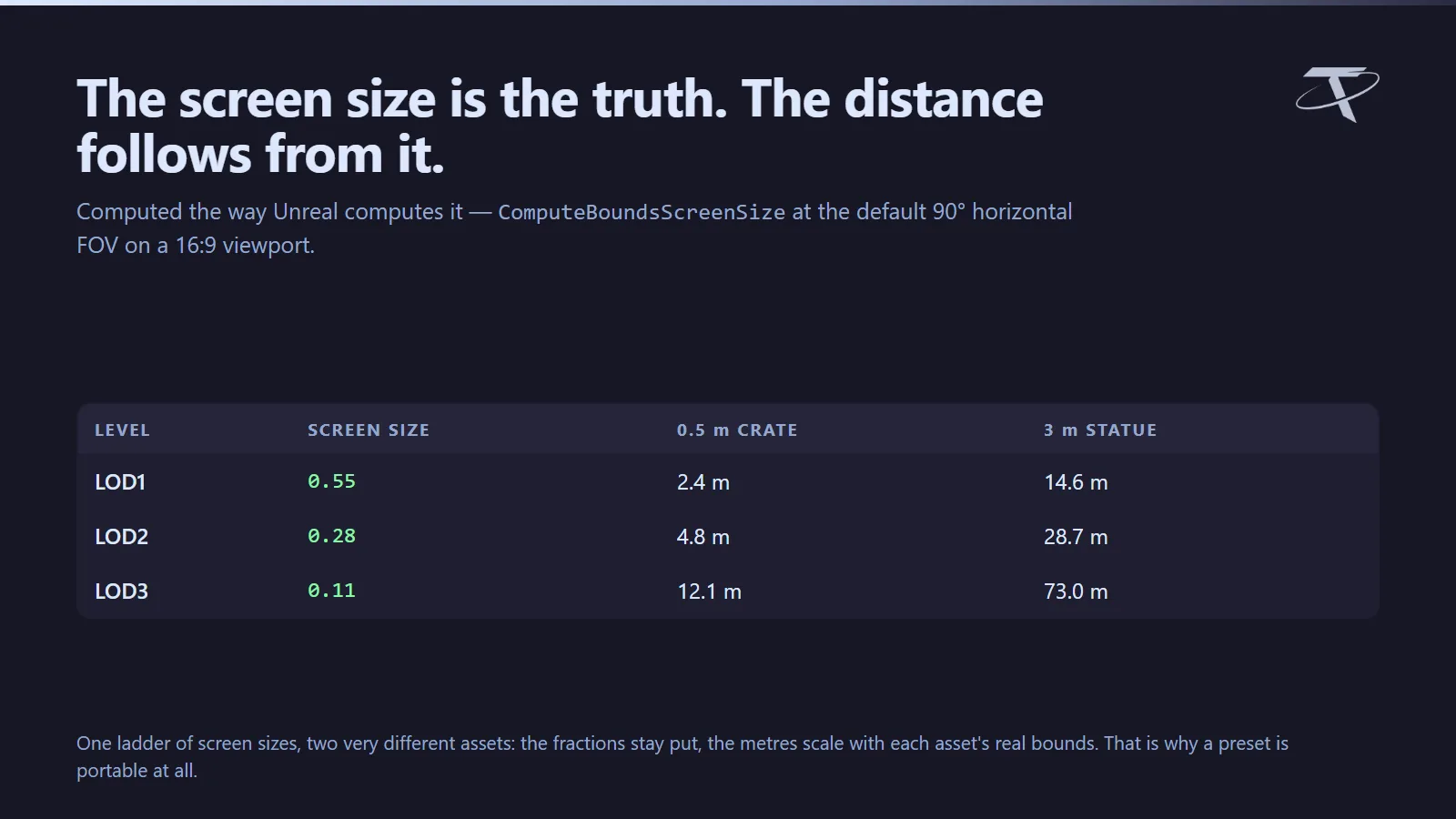
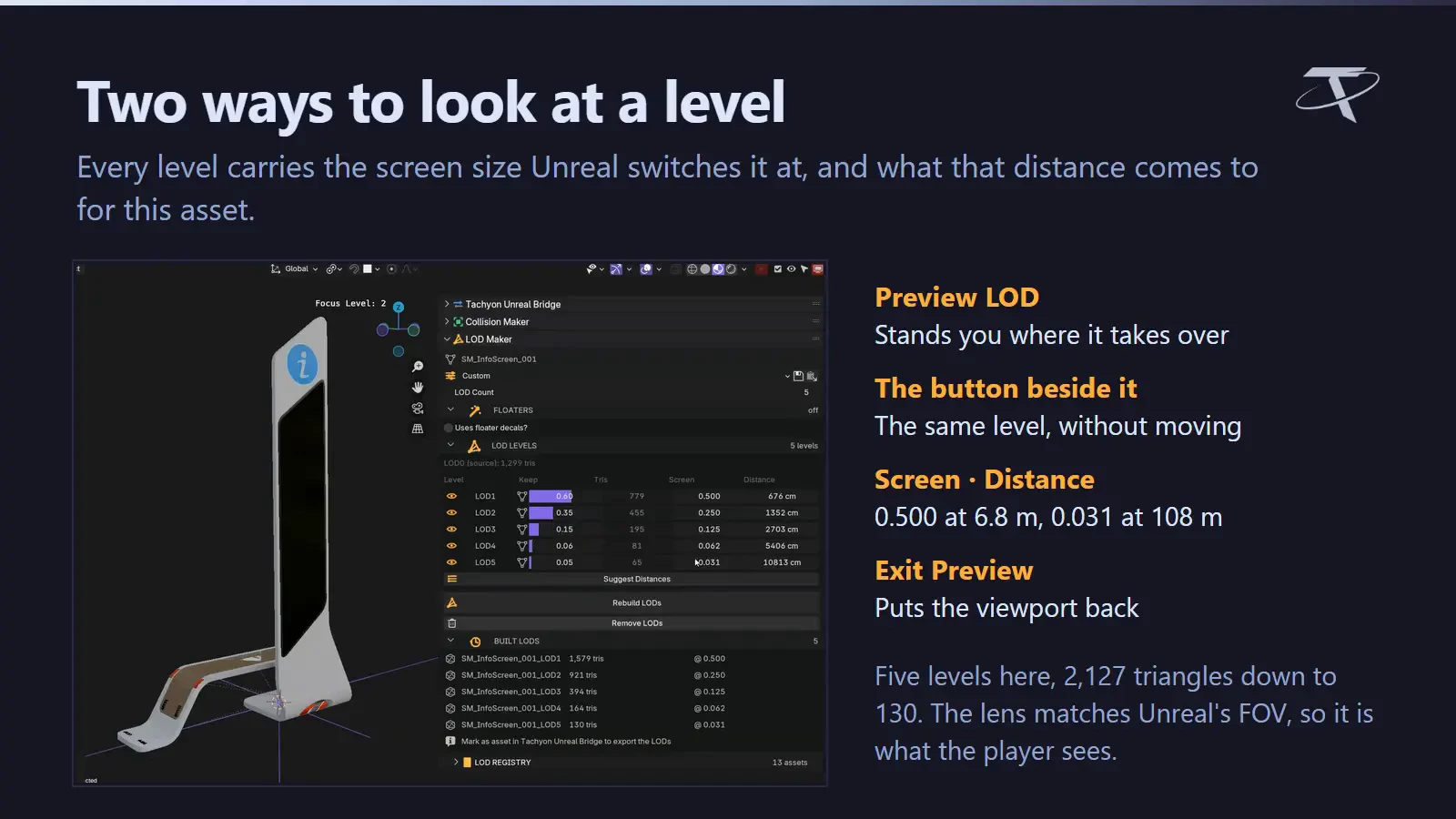
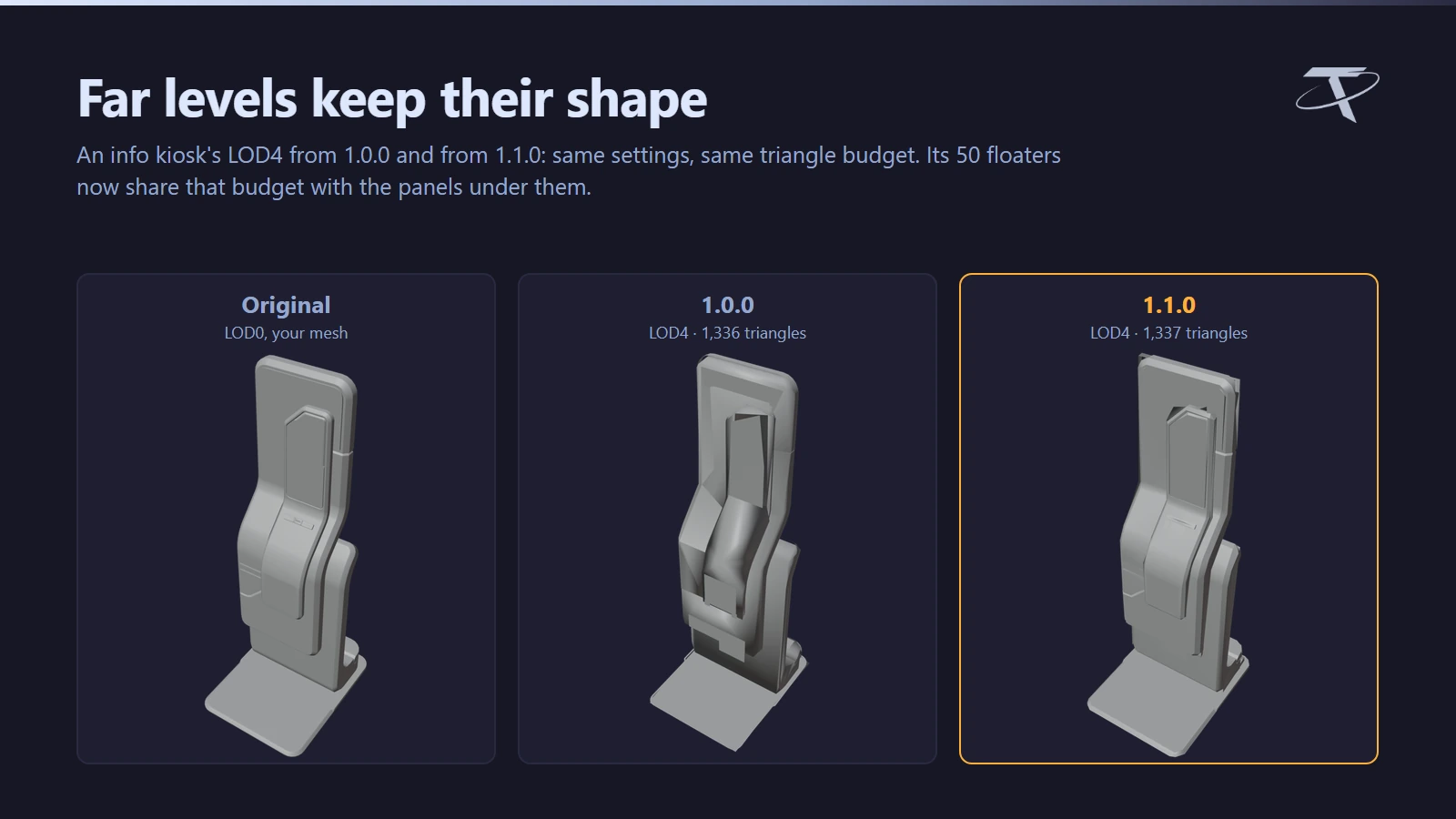
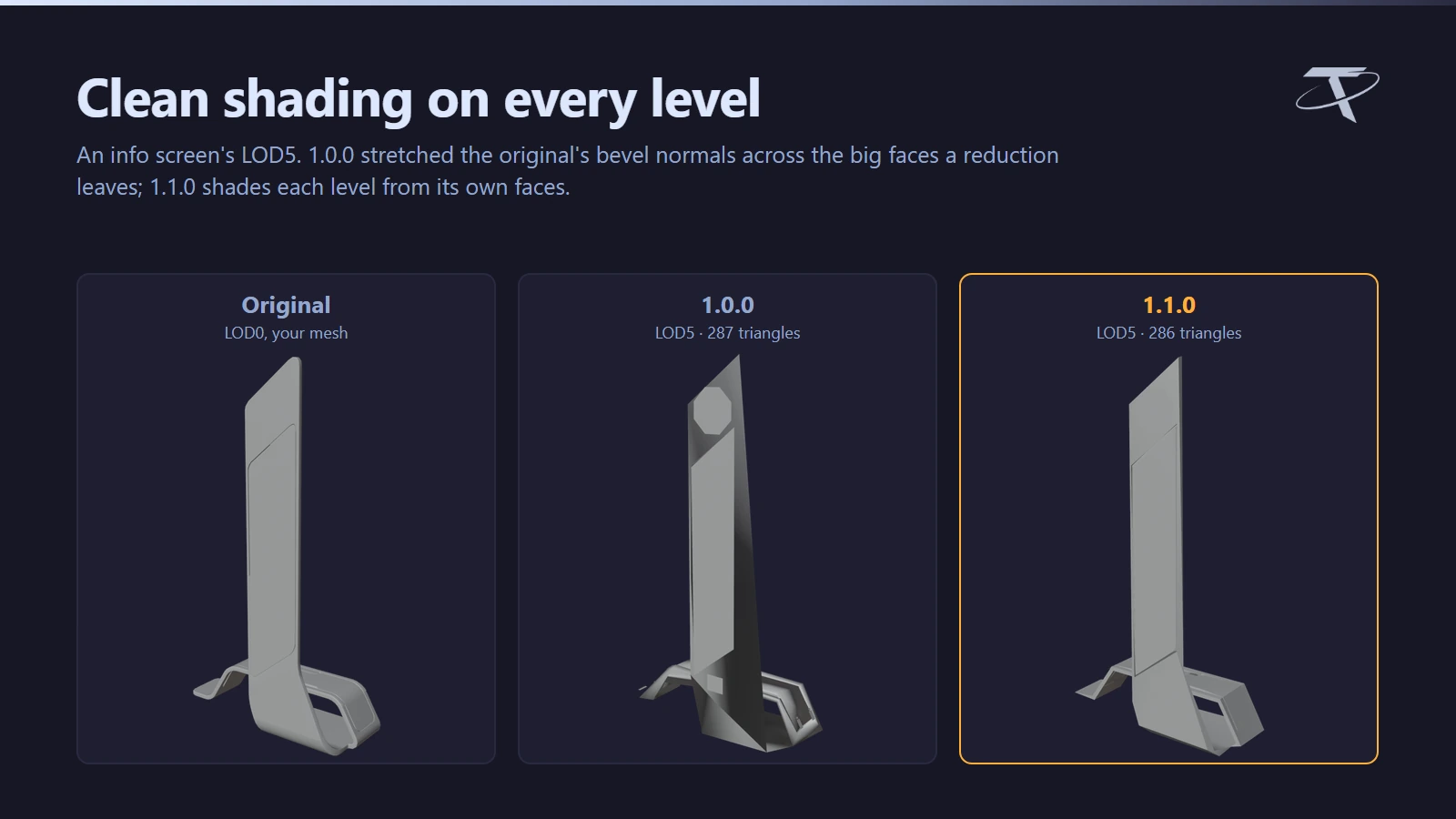
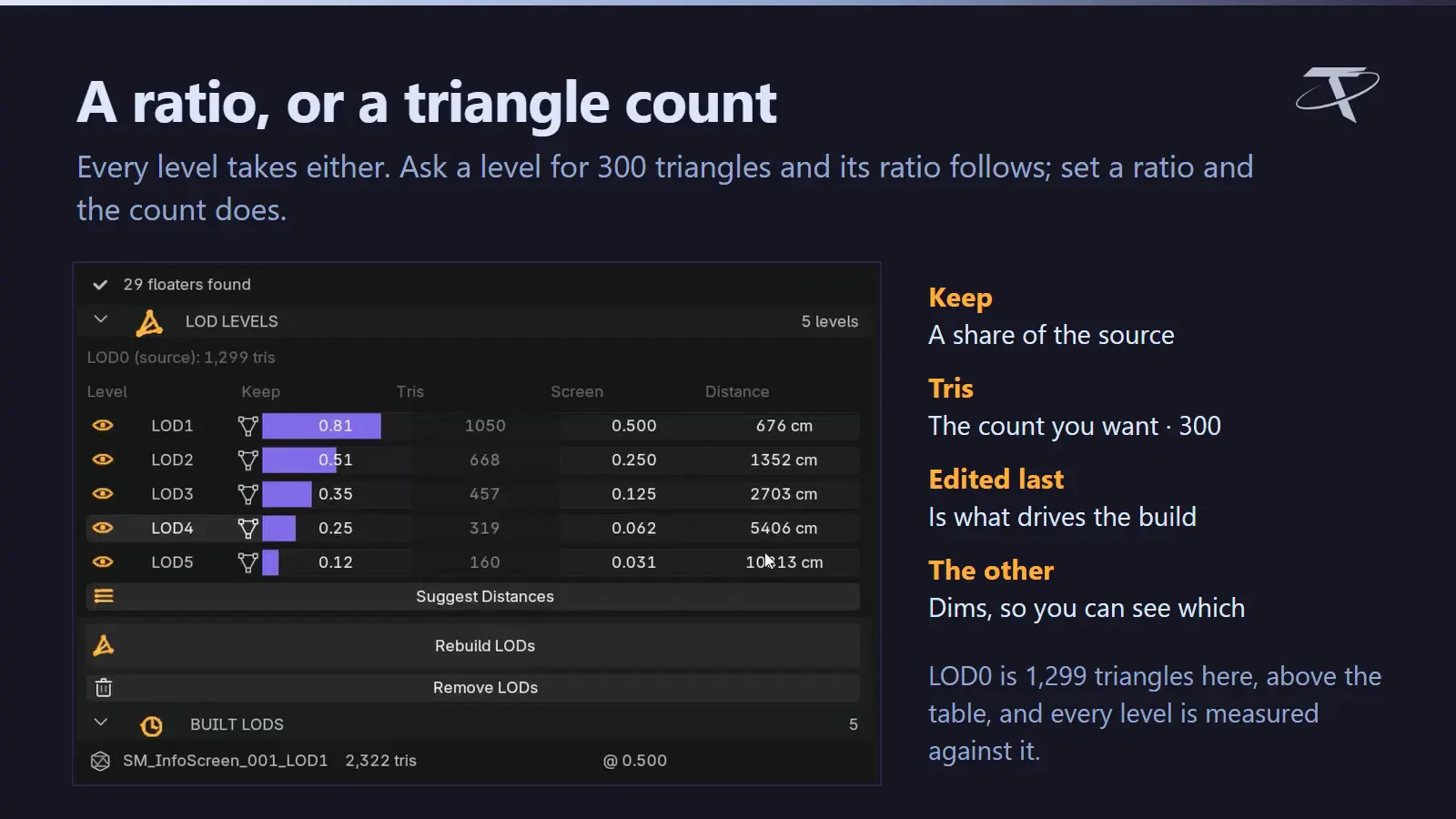
Pick a preset, press Generate LODs, and the asset gets a chain of decimated levels — each one carrying the Unreal screen size at which it takes over. The maths follows Unreal's own ComputeBoundsScreenSize, so levels change where you expect instead of popping early, and Preview LOD lets you look at any level from exactly the distance it switches at, through a lens matching Unreal's FOV.
⚠Unreal Engine is not required. LOD Maker is pure Blender and runs on Windows, macOS and Linux. It produces LOD chains built to Unreal's conventions; getting them into Unreal is a separate step, which Unreal Bridge (a separate product) automates if you want it. Nothing here is affiliated with, endorsed by, or sponsored by Epic Games.
Interactive · runs in your browser
Try it here.
These are the LOD chains LOD Maker really built, in Blender, for an info kiosk and a desk from our sci-fi office set, at three of its presets. Zoom out with the mouse wheel and each level takes over at the screen size LOD Maker gave it, where Unreal will switch to it; or pick a level to hold it and look at it up close.
- WheelZoom: the level follows
- Drag or middle mouseOrbit
- 0 – 4Hold a level
- AAuto
Zoom out: each level takes over at its screen size, as in Unreal.
LOD
Showing
LOD0 · Auto
Triangles
8,143
Your mesh
Screen size now
0.90
Takes over below
–
Built with LOD Maker 1.1.0 in Blender 5.2.0 LTS: 0.52 s for this chain, floater decals included.
What it does.
Pairs with Unreal Bridge, needs nothing
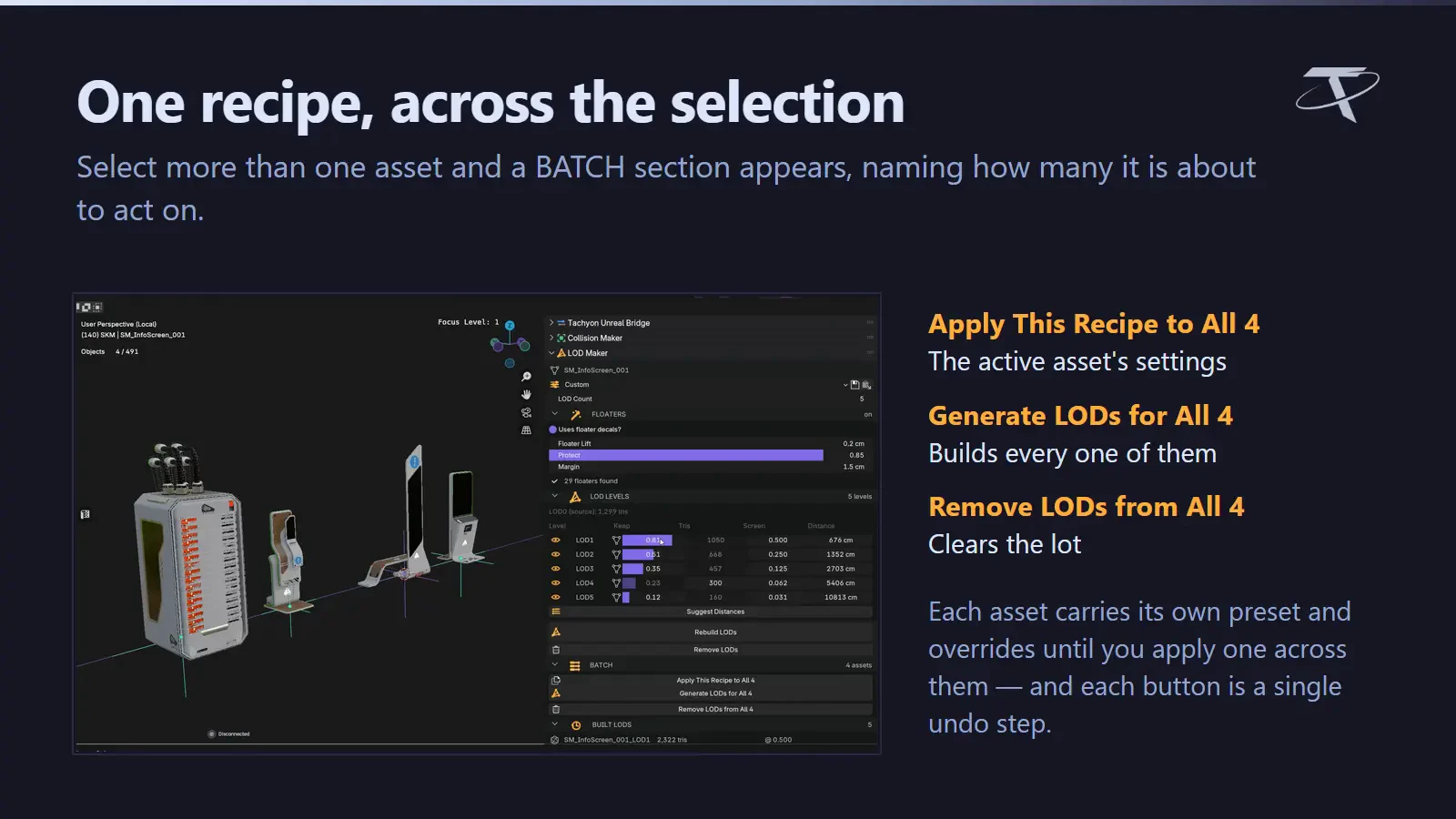
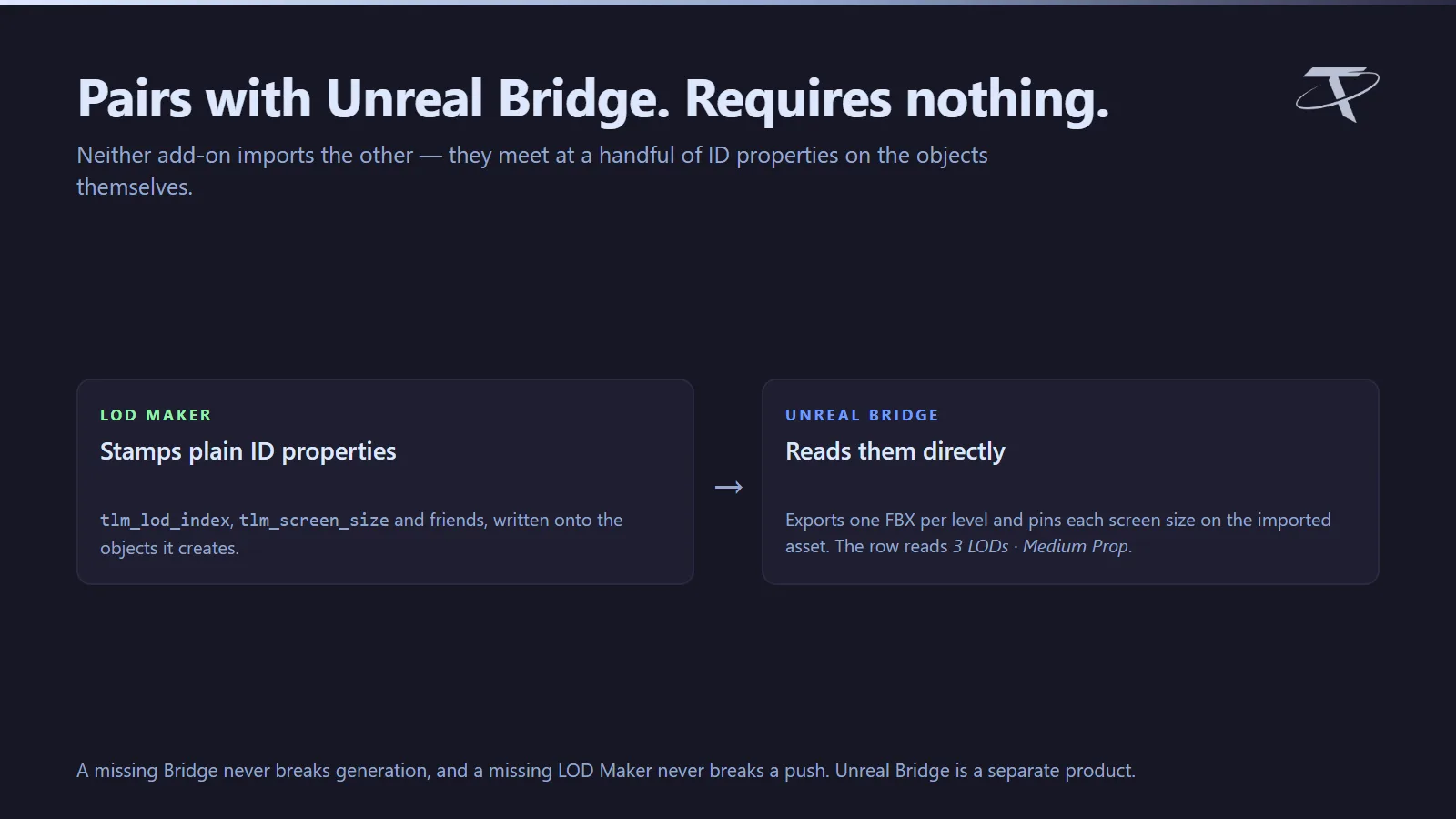
LOD Maker stamps plain ID properties on what it creates. Unreal Bridge reads them directly and exports one FBX per level with each screen size pinned on the imported asset. Neither add-on imports the other: a missing Bridge never breaks generation, and a missing LOD Maker never breaks a push. Because the contract is those properties rather than either add-on, a chain you built by hand can join it too — the Bridge's own Detect LODs by Name and Assign Selected as LODs stamp the same properties, and the level then behaves like a generated one.
Requirements & Setup
Platform
Windows, macOS or Linux. LOD Maker is pure Blender.
Blender
3.3 to 5.3 from one package. Installs as a modern extension on 4.2+ and as a classic add-on on 3.3 – 4.1. Every release is tested end to end on 3.3, 4.3, 5.0, 5.1, 5.2 and 5.3 — including installing the shipped archive on each one.
Unreal engine
Not required and not included. This add-on builds LOD chains to Unreal's conventions inside Blender; it never talks to an engine. Getting them into Unreal is a separate step that Unreal Bridge, a separate product, automates.
Panel
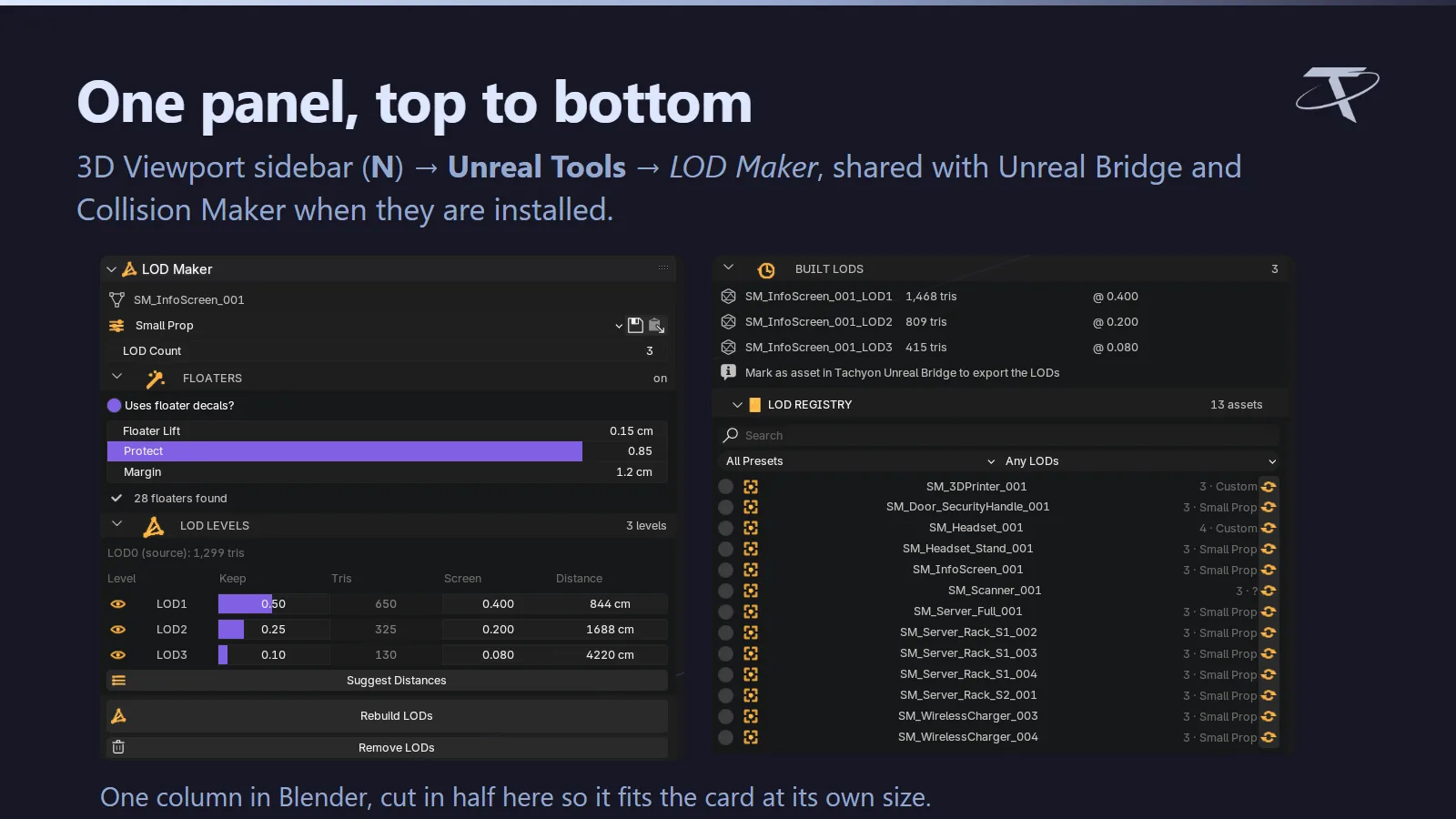
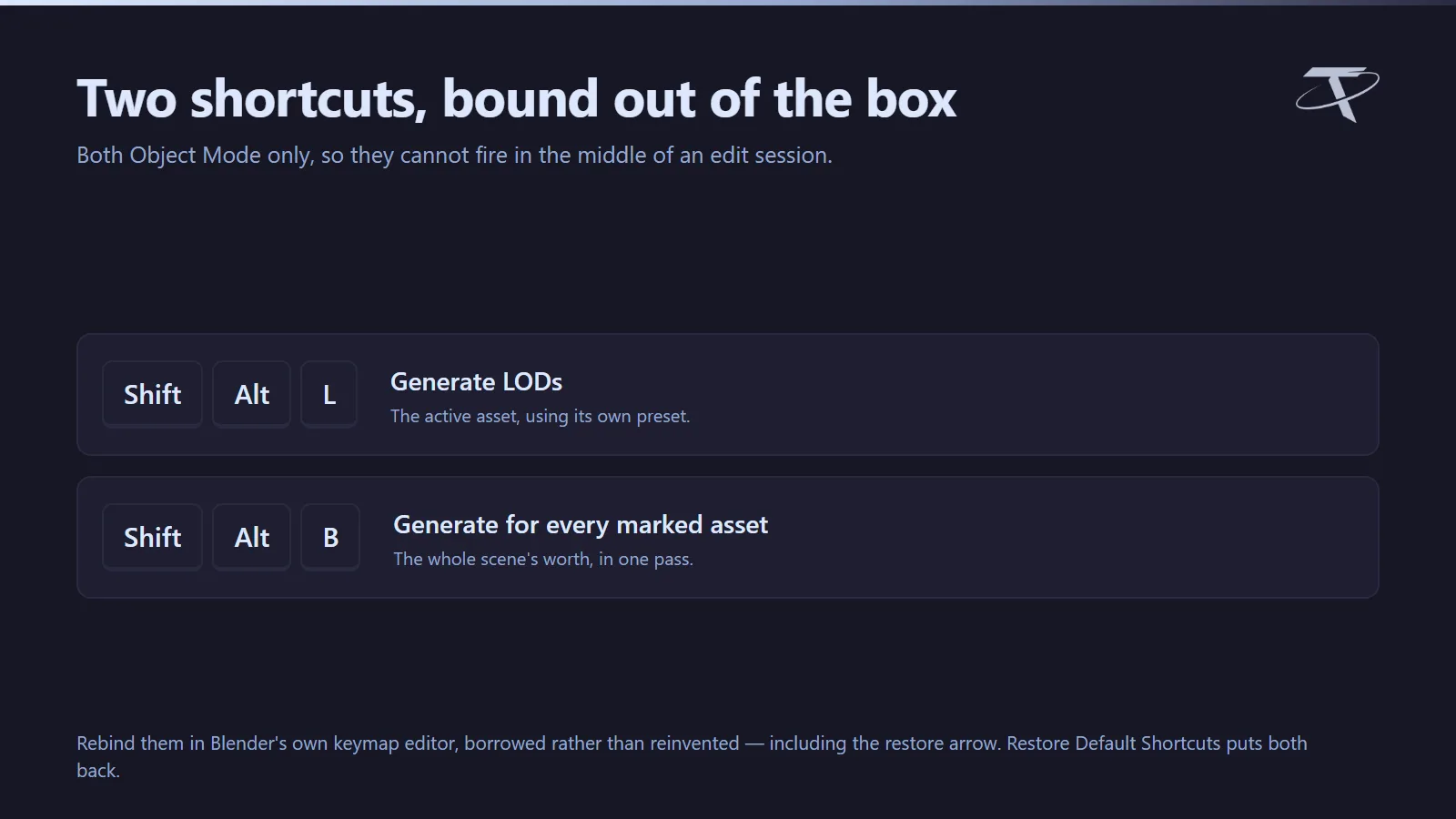
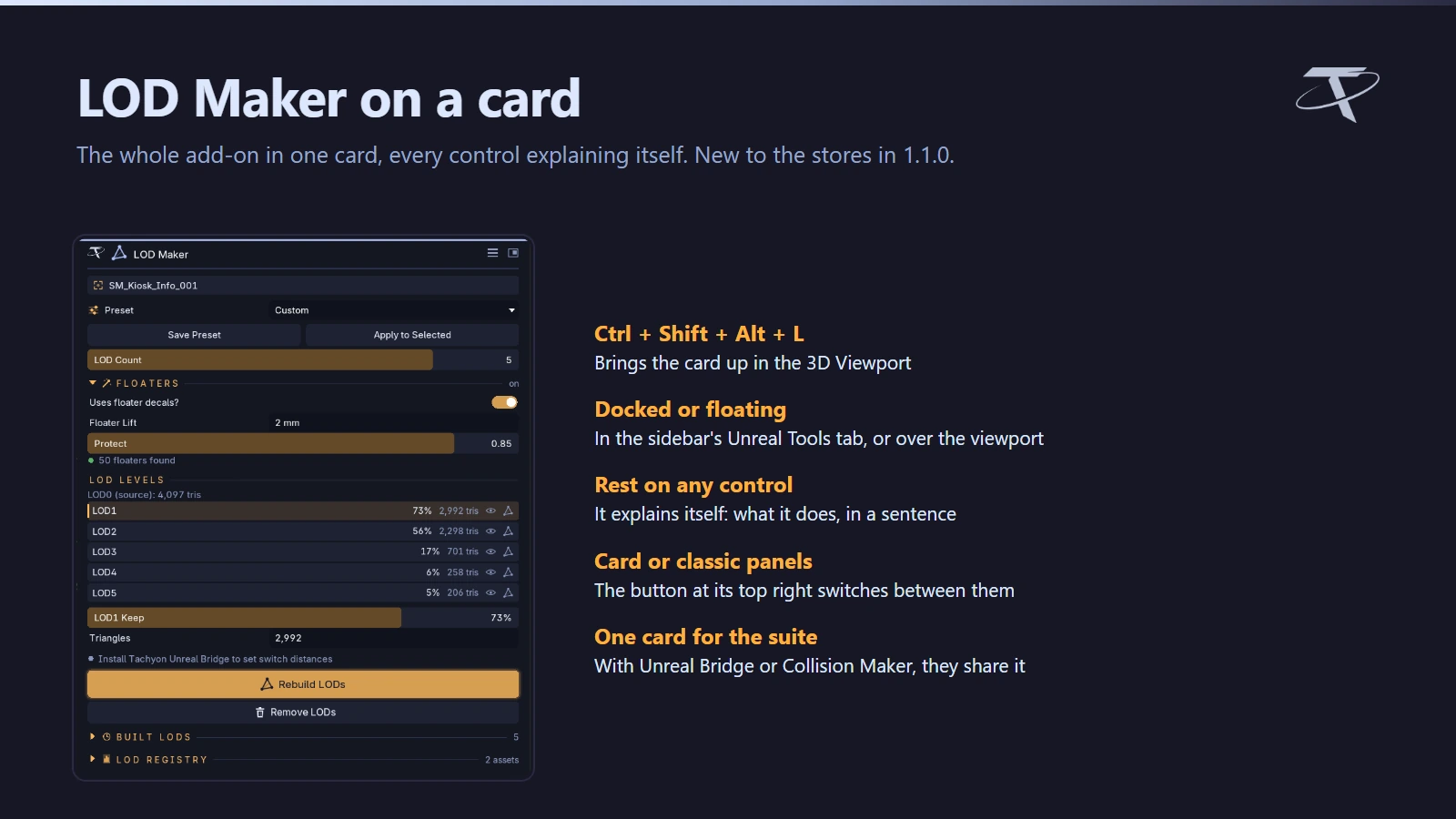
3D Viewport sidebar (N) → Unreal Tools tab → LOD Maker, as a card or as classic panels. The tab is shared with Unreal Bridge and Collision Maker when they are installed; rename it in preferences and the others follow.
Network
None. The add-on opens no sockets, sends no telemetry and checks no licence. Its help buttons hand a URL to your default browser and nothing more.
Files
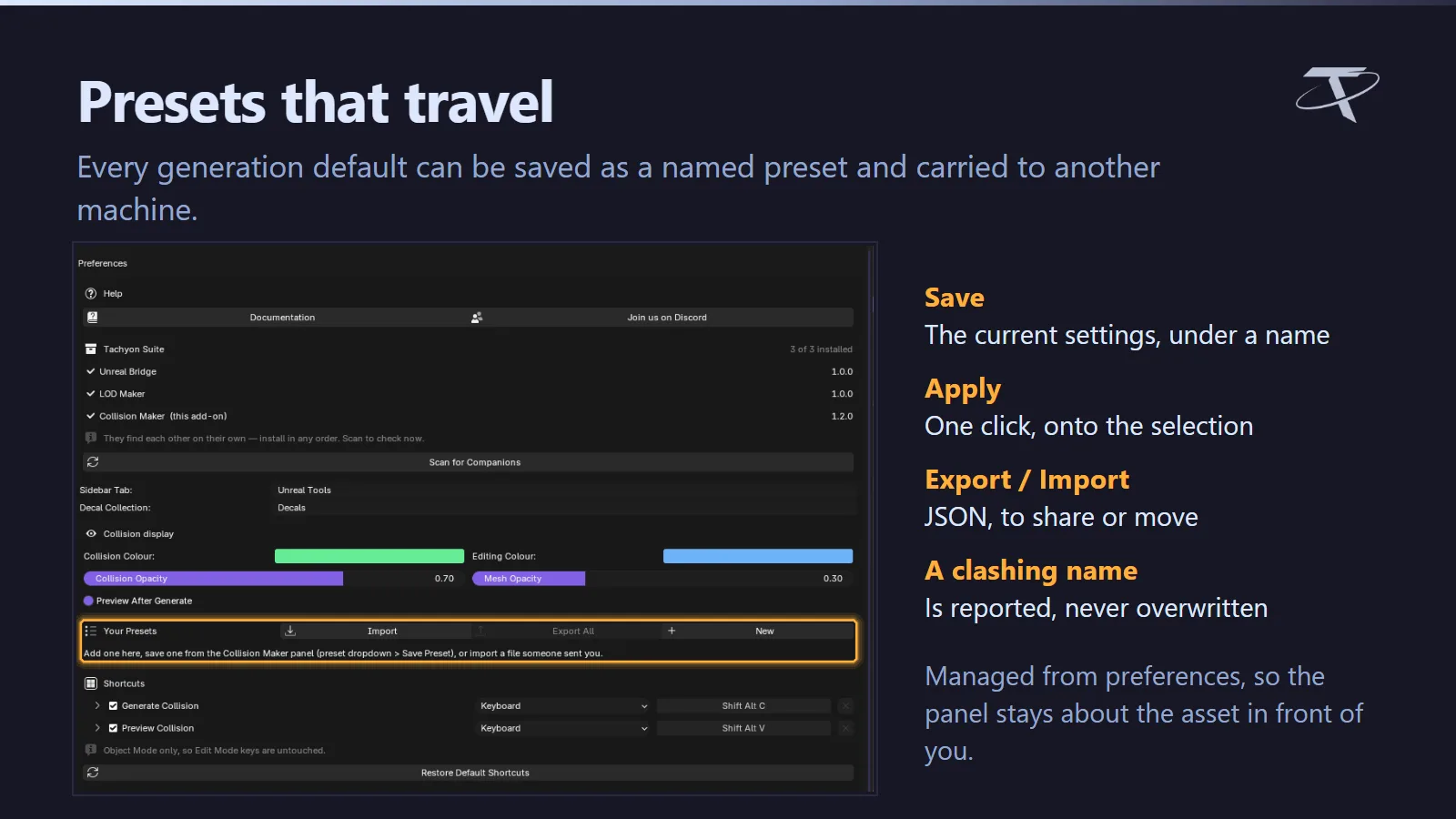
Its own preferences, your presets in
tachyon_presets/lod_maker_presets.jsonbeside Blender's version folders, preset files only where you export or import them, and a one-line marker in Blender's config folder recording which version last showed its welcome. Nothing else, nowhere else.Licence
GPL-3.0-or-later.
GPL-3.0-or-later · Copyright 2026 Tachyon Studio.
Build out your workflow.
More by Tachyon Studio
Optional products, sold separately.
See all on Superhive