Blender add-onFusion 360 Bridge
CAD bodies, ready for Blender.
Bring Fusion mesh exports into Blender with cleanup and watched-folder workflows, or send mesh files back to Fusion.
- Companion Fusion add-in
- Weld and smooth on import
- Watch-folder imports
Compatibility
Windows only · Blender 3.3–5.2
Get it on Superhive ↗ (opens in a new tab)Pricing, checkout, downloads and updates are handled on Superhive.
What it does.
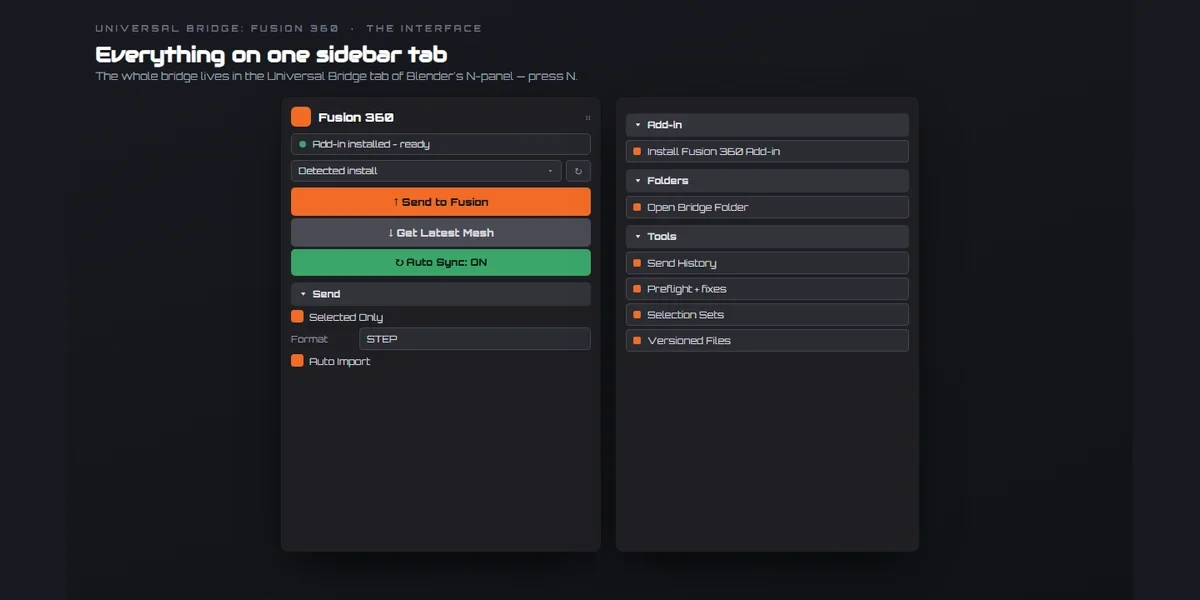
Send from Fusion
The included Send to Blender add-in exports selected or visible Fusion bodies as high-refinement STL.
Clean CAD imports
Coincident vertices are welded, shading is smoothed by angle and material slots are kept on import.
Watch a folder
New OBJ, STL, FBX or PLY files in the watched Fusion folder are imported and cleaned up automatically.
Send back to Fusion
Selected Blender meshes go out as OBJ, and the bridge launches Fusion to take them in.
Before you buy.
- Windows only · Blender 3.3–5.2.
- Autodesk Fusion, licensed separately; the Send to Blender add-in is included.
- Exchanges polygon meshes, not editable parametric CAD history.
Want the details?
The full feature list, documentation, changelog and licence options are on Superhive.
Get it on Superhive ↗ (opens in a new tab)Also sold in these bundles.

Related add-ons.
- Unreal Engine Bridge Push meshes, collision, sockets and LODs into Unreal’s Content Browser, with project-folder access and live update workflows.
- Unity Bridge Send assets into Unity project folders, sync supported edits and bring exported model files back to Blender.

- Godot Bridge Send GLB or glTF assets into Godot 4 projects and return exported glTF work to Blender.